

Once you've grasped the basics of OpCon Resources, the real power emerges when you start using them dynamically. Resources aren't static controls. They can be updated in real time using events, allowing you to open or restrict your processing pipeline as conditions in your environment change throughout the day.
Weighted Resources: Not All Jobs Are Equal
Resources become even more powerful when different jobs consume different amounts of the resource pool. Consider a resource pool with a maximum of 4. You can configure Job A to require 1 unit, Job B to require 2, and Job C to require all 4. OpCon will run as many jobs as the pool allows simultaneously. For example, Jobs A and B can run at the same time (consuming 3 of 4 units), but Job C must wait until all 4 units are free.
The visualizations below demonstrate this scenario. Resource Job 1 has a Resource Dependency Value of 1:
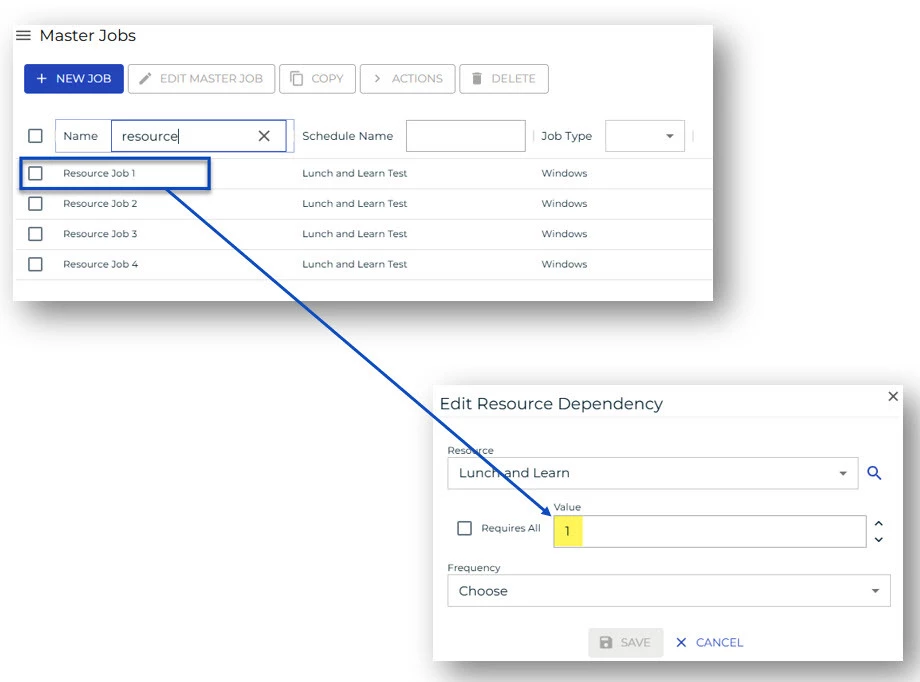
Resource Job 2 has a Resource Dependency Value of 2 and Resource Job 3 has a Resource Dependency Value of 3.
The last job has a Resource Dependency Value of 4:
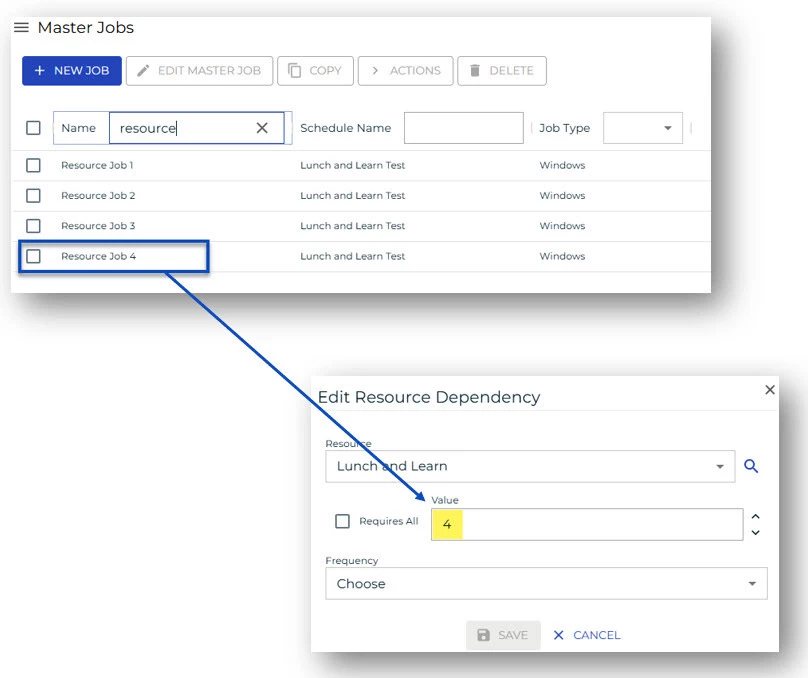
This pattern lets you model the actual resource weight of your jobs. A heavyweight batch process that monopolizes CPU can be assigned a higher resource value, automatically preventing it from running alongside other intensive jobs.
Important: The ‘Require All’ Checkbox vs. Hard-Coded Max
If a job should always consume the entire resource pool, whatever its current maximum is, use the 'Require All' checkbox rather than typing in the current max value.
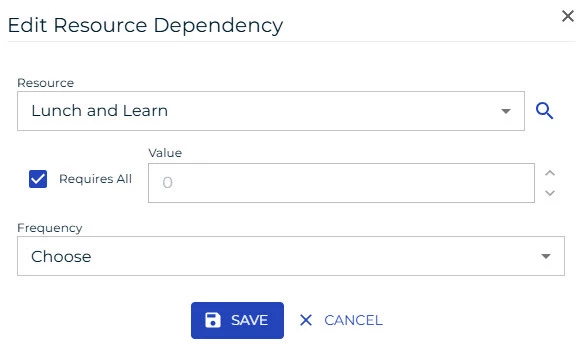
Here's why: if someone later adjusts the resource maximum (say, from 4 down to 3), a job hard-coded to require 4 will never run because there aren't enough units. The checkbox dynamically adapts to whatever the current maximum is, keeping your processing resilient to configuration changes.
Dynamic Resource Adjustments with Events
Resources can be updated on the fly using OpCon events, specifically the Resource Set event. This is where resources shift from a static gate to a truly dynamic throttle. A real-world example: at a credit union, a resource controlling general processing was set to a maximum of 8, allowing up to 8 concurrent jobs. When ACH processing began, a resource-intensive operation requiring significant CPU and RAM, an event automatically reduced the resource to 2, slowing down non-critical report jobs. When ACH completed, another event opened it back up to 8.
This pattern enables you to:
- Prioritize mission-critical processes during peak windows
- Automatically throttle background jobs when high-priority work starts
- Restore full processing speed once high-priority work is done
- Integrate external monitoring systems that can trigger resource adjustments via API or file drop
Resources with Container Jobs and Sub-Schedules
Resources can also be applied to container jobs, which is especially useful when you want an entire sub-schedule to be subject to the resource constraint. When a resource is set at the container level, OpCon holds that resource for the entire duration the container is running, until every job inside it completes.
This is powerful for ACH file processing: create a container and sub-schedule per incoming file, apply the edit-file resource at the container level, and OpCon ensures only one file processes at a time from start to finish. The caveat: if a container has a job that runs 3 hours after the bulk of the work completes, the resource is tied up for those full 3 hours. Plan your container structure accordingly.
Summary
Dynamic resource management in OpCon gives you a powerful lever for adapting your automation environment in real time. By combining weighted resource values, the 'Require All' checkbox, event-driven adjustments, and container-level resource scoping, you can build a processing environment that responds intelligently to what's actually happening on your systems, not just what was planned.