

If you've ever had multiple jobs collide on a shared file or watched your server slow to a crawl because too many processes launched at once, OpCon Resources might be exactly what you've been looking for. At their core, resources are simple but the control they give you over your job processing environment is anything but simple.
What Is a Resource?
A resource in OpCon is a named object assigned a maximum numeric value. That number represents the total pool of 'resource units' available for jobs to consume. When a job is configured with a resource dependency, it must claim a specified number of units from that pool before it can run. Once the job finishes, OpCon automatically releases those units back to the pool with no manual cleanup required.
You'll find resources under Administration > Library in the OpCon interface.
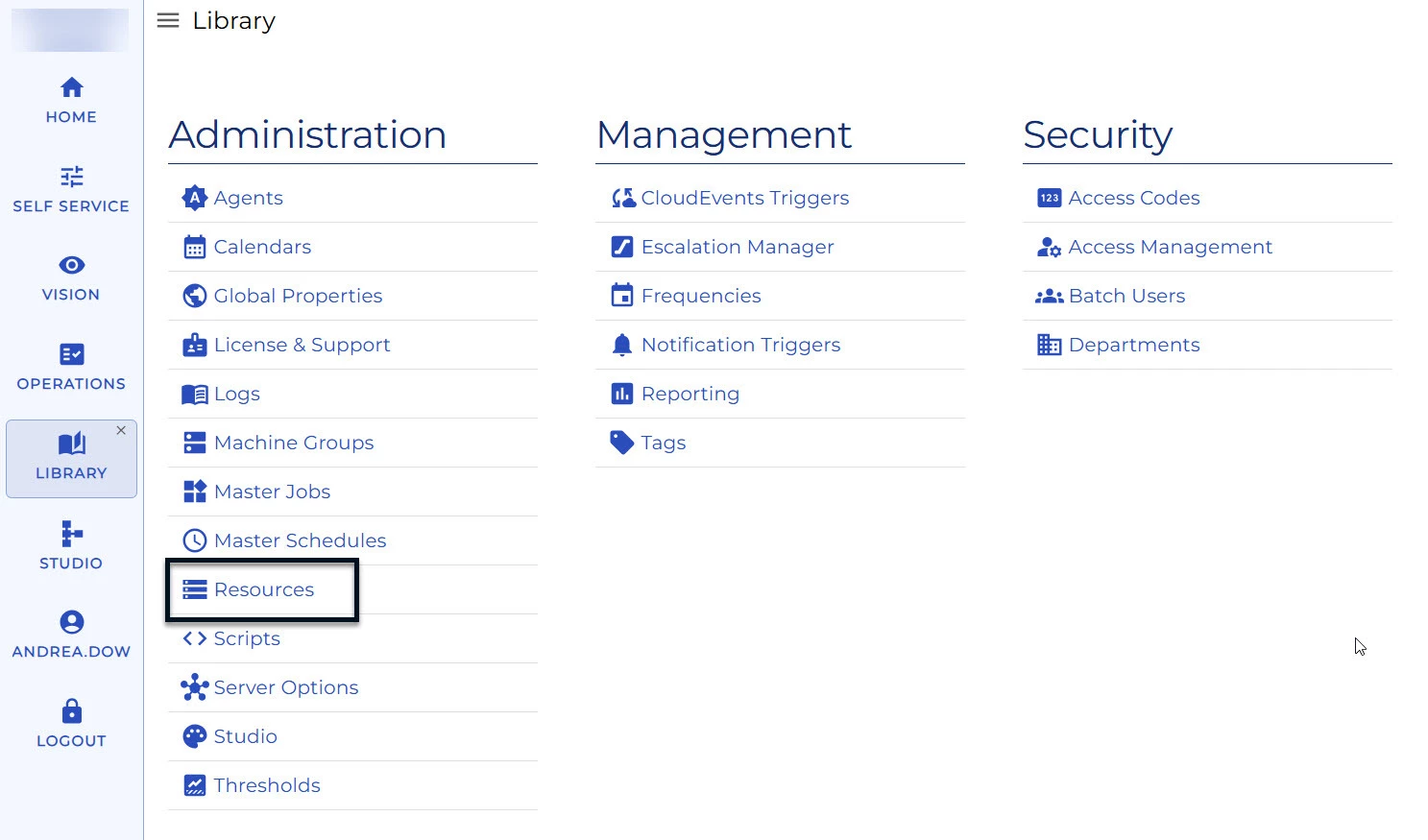
Creating one is straightforward: give it a name, an optional description, and set the maximum value.
How Do Resource Dependencies Work?
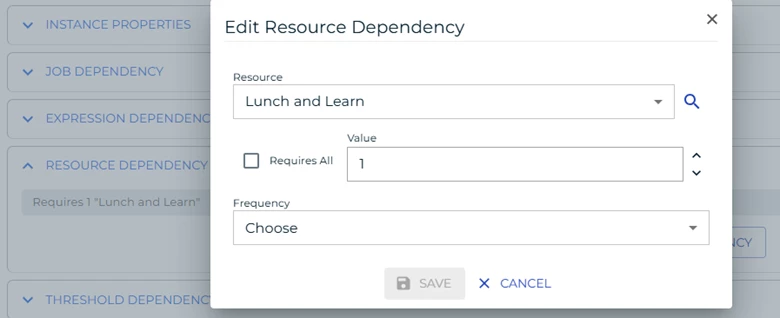
When you add a resource dependency to a job, you're telling OpCon: 'This job needs X units from this resource pool before it's allowed to start.' If enough units aren't available, the job waits and is shown in OpCon with a 'Wait Threshold/Resource Dependency' status. That status is your cue that the job is healthy and ready; it's just queued behind the resource.
Key behaviors to know:
- OpCon releases resources automatically when a job finishes. You do not need to configure an event for this.
- Resource dependencies can be scoped to a specific frequency, giving you fine-grained control across different run schedules.
- A 'Require All' checkbox lets you demand the entire resource pool be free before a job starts, regardless of the current maximum value.
- Resources can be applied across multiple agents; they're not limited to a single machine.
Practical Example: Running Jobs One at a Time
Suppose you have four jobs that would normally all launch simultaneously. By creating a resource with a maximum of 1 and adding a resource dependency of 1 to each job, you force them to run sequentially; one finishes, releases its unit, and the next one starts. This is a great alternative to chaining job dependencies when the order doesn't matter, but simultaneous execution is problematic.
Real-World Use Case: ACH and Edit File
One of the most practical applications of a resource-set-to-1 is protecting a shared file. In Symitar-based core environments, there is only one edit file. If two jobs write to it at the same time, the results can create issues. Setting a resource dependency on all jobs that touch the edit file ensures only one accesses it at a time with no complex dependency chains required, and OpCon handles the queuing automatically.
SAM Priority and Job Ordering
When multiple jobs are waiting on the same resource, OpCon's SAM does not simply run them in the order they were scheduled. It first looks at SAM Priority. Jobs with higher priority will get first access to the resource when it becomes available. If priorities are equal, scheduled start time becomes the tiebreaker. If you have a critical job that must run before others in a resource queue, set a higher SAM priority for it.
Summary
Resources give you a clean, dynamic way to control job concurrency in OpCon across agents, across schedules, and without hard-coded sequential dependencies. Whether you're managing a shared file, controlling server load, or building a controlled processing pipeline, resources are a tool worth adding to your OpCon toolkit.