
Run RPA Without OpCon
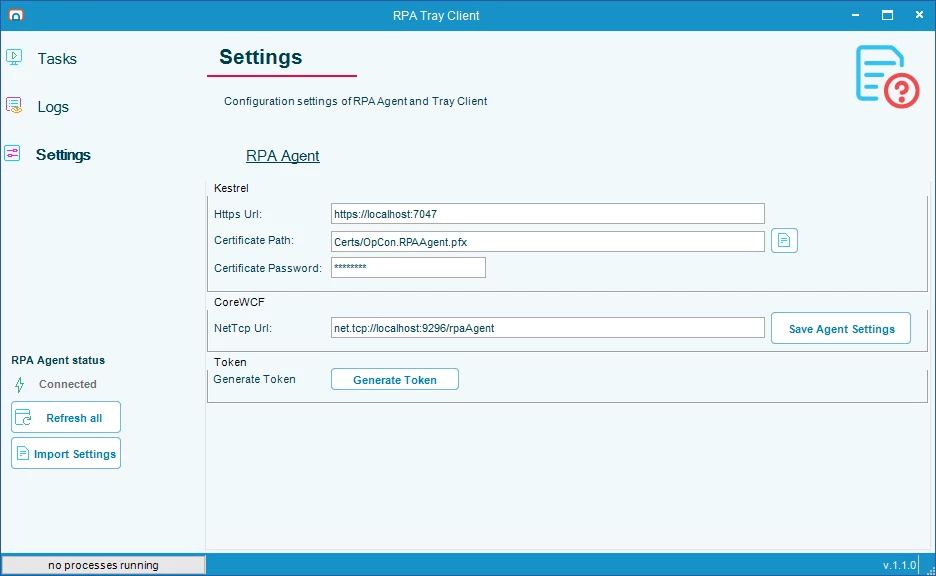
OpCon RPA no longer requires an OpCon environment to operate. Starting with release 1.1.0, tasks are stored locally on the RPA Agent rather than in the OpCon Script Repository, which means OpCon RPA can now be deployed and run in environments that don’t use OpCon at all.
For existing OpCon customers, this also means a simpler setup experience. There’s no longer a dedicated OpCon user to create or an API connection to configure. The OpCon Settings tab has been removed from the RPA Tray Client entirely, leaving a streamlined settings page focused on RPA Agent configuration only.
Whether you’re expanding RPA into a new environment or setting up for the first time, 1.1.0 removes the barriers that previously tied robotic automation to an OpCon installation.
Copy Tasks
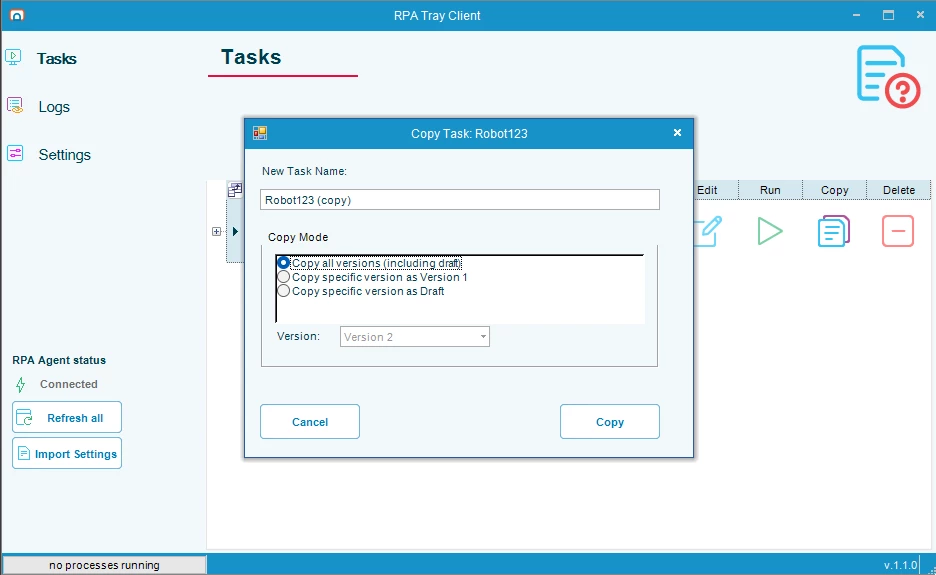
You can now duplicate tasks directly from the Drafts and Archive views in the RPA Tray Client. You don’t have to rebuild from scratch.
When copying a task, you choose how much version history to bring along:
- Copy all versions, including the working draft
- Copy a single version as the new task’s Version 1, starting with a clean history
- Copy a version as a draft for further refinement before publishing
This makes it easy to turn a proven automation into a reusable template, branch a workflow to experiment safely, or spin up a variation without touching the original.
Delete Tasks
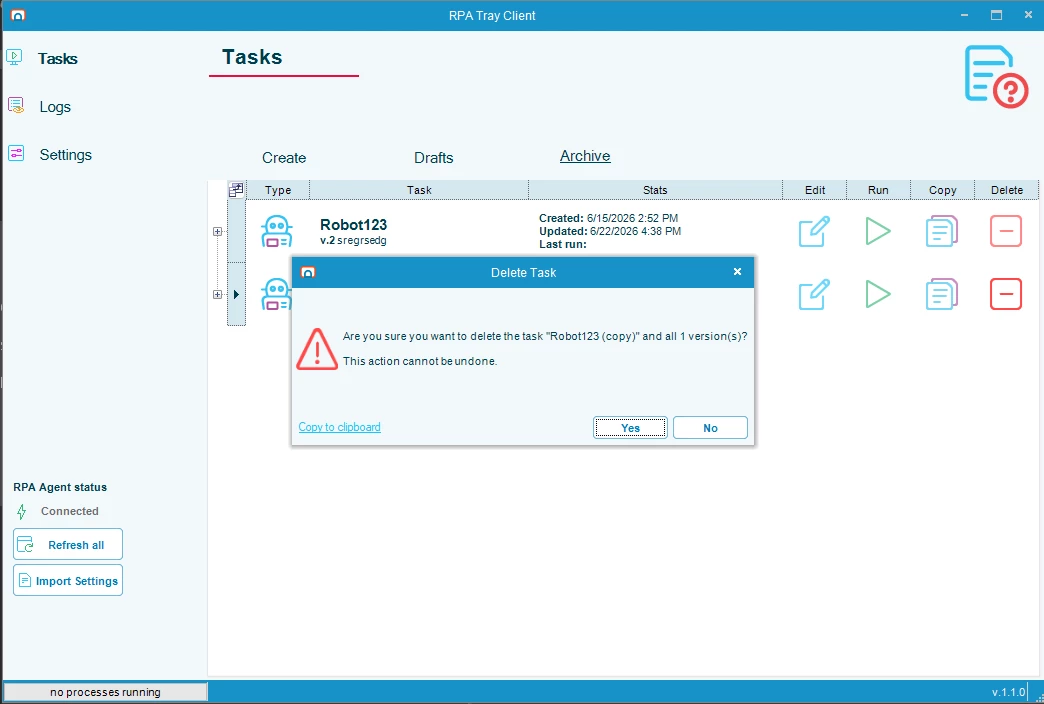
Release 1.1.0 adds a Delete action to the Drafts and Archive views, giving your team a straightforward way to keep your automation library clean and current.
Safeguards are matched to what’s being removed:
- Deleting a published task from the Archive removes the task and all of its versions, with a clear warning that the action can’t be undone
- Deleting a draft removes only that draft. No other versions are affected
Delete and Run controls are also automatically disabled while a task is running, so there’s no risk of accidentally modifying an active automation.